How to write AI image prompts: light, lens and mood
A practical guide to writing AI image prompts that get exactly what you mean: the structure that works, the three details that change everything, before-and-after examples, and a cheat sheet to save.
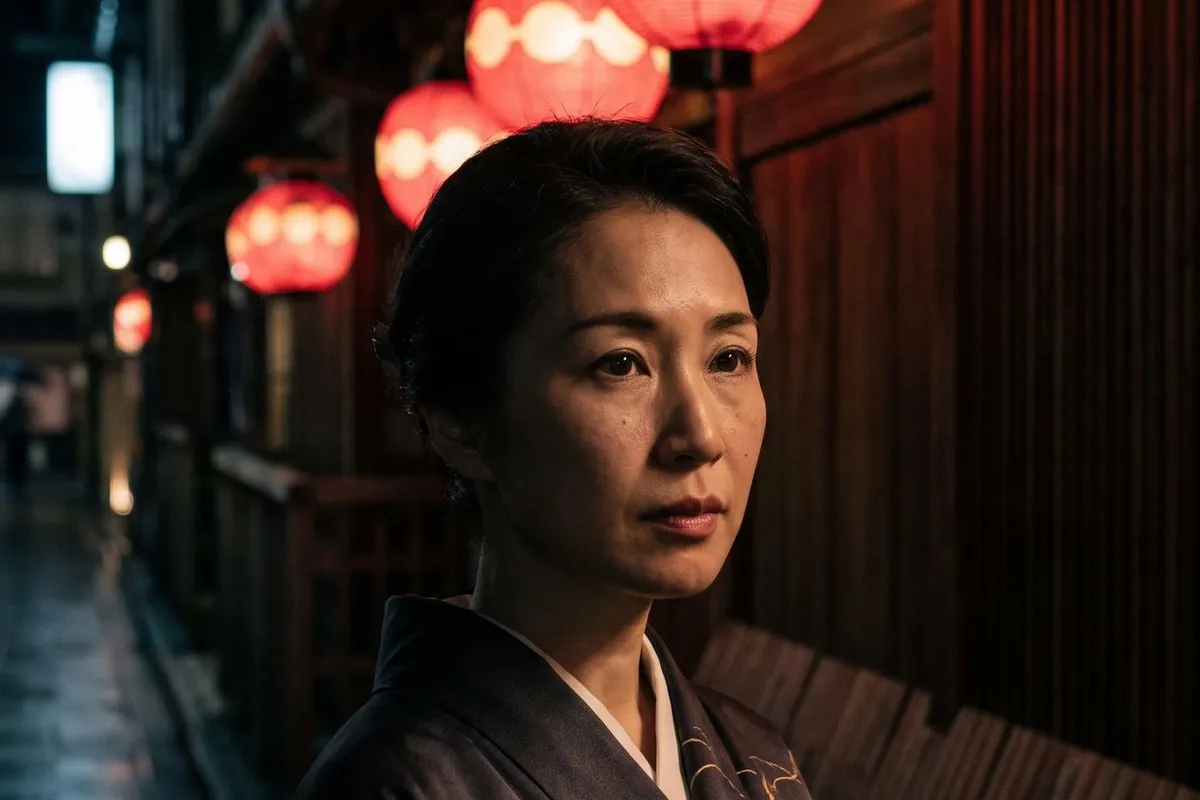
The difference between a forgettable AI image and a striking one is rarely the model. It is the prompt. Most weak prompts describe what is in the picture and stop there. Strong prompts also describe how it looks.
The structure that works
Write your prompt in this order. You do not need every part every time, but the order helps the model and helps you think.
- Subject. Who or what, doing what. "An old fisherman mending a net."
- Setting. Where and when. "On a Bali beach at dawn."
- Light. "Low golden sun from the side."
- Lens or medium. "85mm portrait, shallow depth of field" or "soft gouache illustration".
- Mood. "Quiet, dignified."
The three details that change everything
Name the light
Light is the single biggest lever. Compare "nice lighting" with any of these: red paper lanterns at night, window light from the left, harsh noon sun with hard shadows, neon reflections on wet asphalt, one spotlight on a dark stage. Each one gives you a different photograph.
Name the lens
Photographers think in lenses, and image models learned from photographs. 24mm wide angle gives you space and drama; 85mm gives you a flattering portrait with a soft background; macro takes you close to texture. If you want illustration instead, name the medium: ink, gouache, 3D render, comic panel.
Name the mood
One word does a lot of work: tense, playful, melancholic, luxurious, eerie. It shifts colour, framing and expression together.
Before and after
| Vague | Specific |
|---|---|
| A woman in a kimono | Close-up portrait of a woman in a dark kimono under red paper lanterns at night, 85mm, shallow depth of field, calm |
| A car in the desert | A matte black sports car in the desert at golden hour, long shadow, low angle, premium product shot |
| A cute tiger | Children's book illustration of a sleepy tiger curled in a jungle of glowing paper lanterns, soft gouache, warm |
Mistakes to avoid
- Lists of adjectives. "Beautiful, stunning, amazing, 8k" adds noise, not quality.
- Two scenes in one prompt. If you want a sequence, make one image per frame.
- Asking for long text. Many models still struggle with lettering. Add titles afterwards.
- Fighting the ratio. A full-body portrait in 16:9 wastes the frame. Choose 3:4 or 9:16.
Iterate like a photographer
Change one thing at a time. Keep the subject, swap the light. Keep the light, swap the lens. You will learn faster than by rewriting everything, and in Souna AI each version stays in your private Library so you can compare.
Not sure which model fits? Mode Auto picks one for you, and the model picker labels each model by what it is good at, from photoreal to illustration.
Cheat sheet
[Subject doing something], [setting and time], [light], [lens or medium], [mood]. One idea per image. Change one thing per version.
Ready to move? Turn your best image into a clip with an AI video generator with sound.