AI video generator with sound: make a 30-second clip from one line of text
How to make an AI video with sound from a text prompt or a single image: what to write, which settings matter, and how to get a usable 30-second clip for Reels, TikTok or Shorts.
For a long time, AI video meant silent clips. You generated the picture, then went looking for music and sound effects that almost fit. The current generation of video models can create the picture and the sound together: footsteps that land on the beat of the walk, rain that matches the rain on screen, a crowd that cheers when the fireworks burst.
This guide shows how to get a usable clip with sound out of an AI video generator, using Souna AI as the example.
Text to video, or image to video?
There are two ways to start, and they solve different problems.
- Text to video is best when you are exploring. You describe a scene and the model invents everything: the look, the framing, the motion.
- Image to video is best when the look must not change. You start from an image (one you generated, or a product photo) and the model brings it to life. The first frame is your image, so characters, products and colours stay consistent.
A reliable workflow is to find the look as a still image first, which is fast and cheap, and only then animate the one you like.
How to write a video prompt that works
A good video prompt answers four questions:
- What is in the frame? "A ginger cat on a sunny windowsill."
- What moves, and how? "Stretches slowly, curtains move in the breeze."
- What does the camera do? "Slow push-in", "static wide shot", "handheld tracking shot".
- What do we hear? "Soft room sound", "distant thunder", "crowd cheering". Naming the sound makes it much more likely the audio matches what you want.
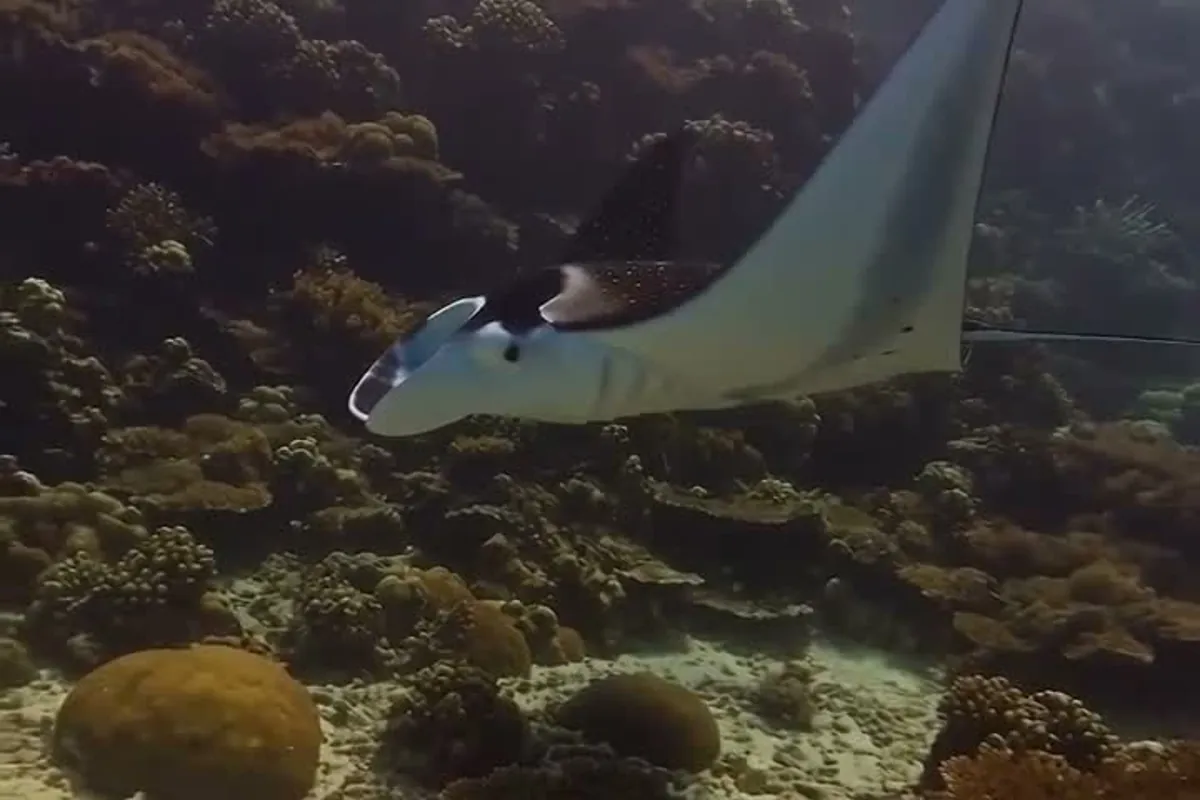
Example: "A manta ray gliding over a coral reef through shafts of sunlight, slow cinematic tracking shot, gentle ocean ambience."
Settings that matter
Length
Short clips (5 to 8 seconds) are cheaper and more reliable. For a 30-second piece, it often works better to generate several short shots and join them in an editor than to ask for one long take.
Resolution
720p is plenty for drafts. Choose 1080p for the final version you publish.
Ratio
9:16 for Reels, TikTok and Shorts; 16:9 for YouTube and websites; 1:1 or 3:4 for feeds.
Making the clip in Souna AI
- Open the studio and choose Video.
- Write your prompt, or attach an image to start from.
- Pick a model, or leave it on Mode Auto. Souna Motion makes cinematic clips with sound from 5 to 30 seconds, up to 1080p; Motion Lite is the lighter option for quick clips up to 15 seconds.
- Choose length, resolution and ratio. The price in credits is shown before you start.
- The finished clip lands in your private Library. Nothing is published.
From clip to post
- Add captions. Most short-form video is watched on mute at first. Auto captions in the editor take seconds.
- Hook in the first second. Start on the most striking frame, not on a slow establishing shot.
- Keep the sound. Native audio makes clips feel real. Lower it under a voice-over rather than replacing it.
Common problems and fixes
| Problem | Fix |
|---|---|
| The subject changes between shots | Start every shot from the same image (image to video). |
| Motion is chaotic | Ask for one simple movement and a slow camera. |
| The sound is generic | Name the exact sounds you want in the prompt. |
| Text in the video is garbled | Add titles in the editor instead of asking the model to write them. |
Want a ready-made example? See how one product photo becomes a video ad in How to turn one product photo into a video ad with AI.